
Before I started my own business, I never gave much thought to LinkedIn. All that changed when I became a Virtual Assistant. For the first time in my life I no longer had an employer telling me what to do and paying me a regular sum of money. And while I had created a website, on its own, this wasn’t going to cut it, I needed to find another way to reach people and get noticed.

Over the last couple of years I have learned there are many people who will tell you how you should use LinkedIn but having been the ‘new girl’, I know how overwhelming it can feel, so in this blog post I am sharing all the things I wish I had known about LinkedIn when I was starting out, to help you find your way around.
About LinkedIn
The aim of LinkedIn is to connect the world’s professionals to make them more productive and successful and to create economic opportunity for every member of the global workforce. It is a place to connect, show expertise and build a community of potential clients and customers. The statistics portal Statista states that LinkedIn is one of the largest platforms for job seekers, employers and recruiters from around the world, projecting there will be 1,034.56 million LinkedIn users by 2025, while statistics from LinkedIn show it is a community of more than 875 million members in 200 countries, available in twenty six languages, with thirty six offices and 21,000 employees in thirty cities around the world.
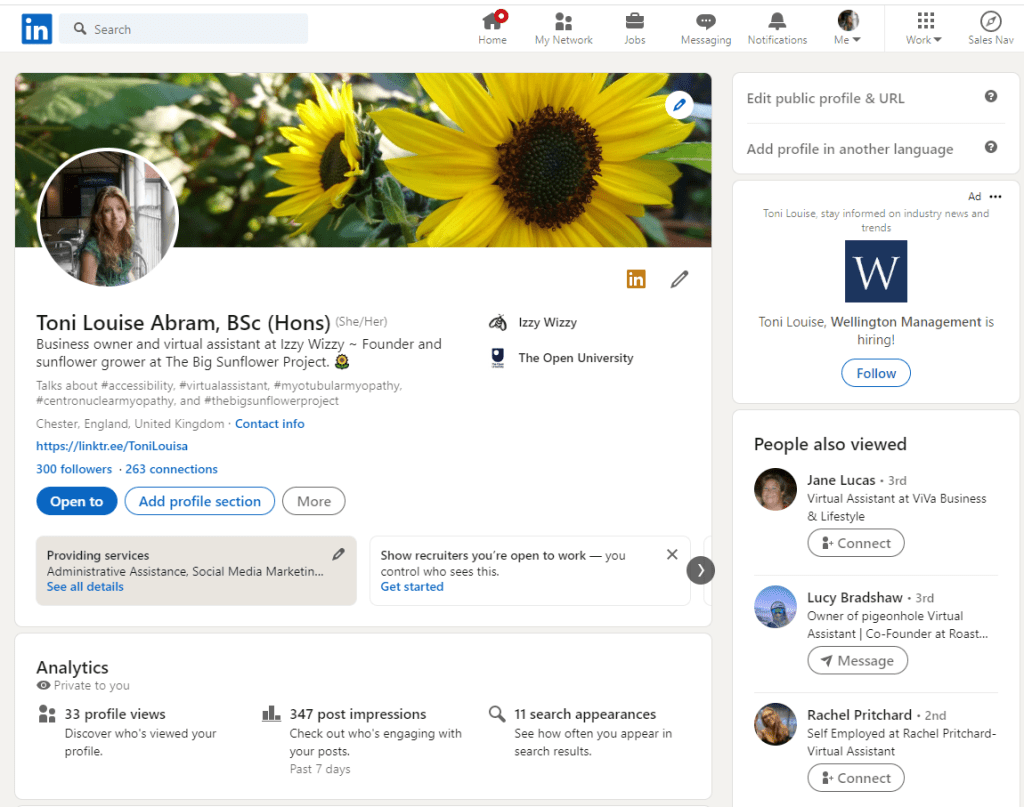
What can you do on LinkedIn
LinkedIn enables its users to:
- create a personal profile
- create business and showcase pages
- search for jobs and apply via LinkedIn
- build a professional network
- join groups
- follow topics and hashtags of interest
- be found by recruiters.
Types of LinkedIn page
There are four types of LinkedIn page.
- Profile page
Your LinkedIn profile is a page for you to tell people who you are and what you do by displaying your professional experiences and achievements. As well as the facts about your career you can add documents, images and videos to add colour, interest and life to your page. - Company page
A company page is as its name suggests, a page to focus on your business — here you can post news and updates, share information about job opportunities and send out marketing related content. - Showcase page
A showcase page enables you to create a community of followers around content on a specific subject for example Adobe has a showcase page for designers who use its Creative Cloud suite of products and another for marketers who use its Experience Cloud suite of data and marketing solutions. - Educational institution
Pages specifically for schools and universities.
In order to create a company page, showcase page or educational institution page you must first have a personal profile — from there click where it says ‘for business’ on the navigation bar at the top of your profile page, select the ‘create a company page’ link and finally select the type of page you want to create, as shown in the screen print below.

Search for jobs
Once you have set up a profile page on LinkedIn you are ready to search for jobs. You can:
- search for a job from the jobs page which you can access via the navigation bar at the top of any LinkedIn page
- use the search box at the top of any LinkedIn page to search for roles with a specific job title
- set job alerts to receive emails when a job is posted that meets your criteria.
You will also find jobs advertised on the pages of your connections and on company jobs pages, so if you have an ideal job or an ideal employer, it is worth following the company and their employees so you get to hear about job vacancies. Recruiters use LinkedIn to search for potential employees also which is a good reason for keeping your profile up to date.

Building a network
LinkedIn is no different to any other social media when it comes to building a network. However, while having many connections may make you more visible on the platform, I haven’t gone down the route of connecting with anybody and everybody, because I fear if I do, my newsfeed will be filled with information that is of no relevance to me.
Now I have been using the platform for a while, I have learned there are people who will connect with you only to sell to you or to gain access to those in your network. As such, I am learning to be strategic about who I connect with, aiming to connect with people I know, people in my local area, people in my industry, those I have something in common with, people I want to support or people who post about topics that strike a chord with me.
A personalised connection request always makes a big difference when deciding if to connect with someone and I try to extend the same courtesy to others. My network isn’t going to grow overnight this way but I hope that overtime the connections I make will be meaningful.
It is also important to note that sending out many connection requests all at once will get you noticed by LinkedIn and you will likely find your account locked if you try to connect with too many people at once, so always think quality over quantity.

Connections versus followers
Don’t feel comfortable making a connection request? You could consider following someone instead. So what’s the difference?
- Connections
On LinkedIn connections are made by sending and receiving invitations. In theory, connections are people you already know, although this is not always the case and you will receive connection requests from people you don’t know. LinkedIn connections can see each other’s posts and updates and send messages back and forth via LinkedIn. - Following
Following a person allows you to see their posts without being connected to them. Conversely, people who follow you can read your posts, but unless you follow them back, you won’t see theirs.

Engaging with other users
Connecting or following people is one way of being seen on LinkedIn but you also need to engage with your connections, Below are some ways you can do this, if like me, you do not want to seem too pushy.
- try to spend some time each week reviewing, liking, and commenting on posts
- re-post or share someone’s post with your thoughts
- tag people and companies in posts
- use hashtags in your posts
- if a connection comments on your post or mentions you or your company in a post, make sure you always reply
- congratulate connections on a change of job or other success
Sharing and posting content
Regularly posting your own content in a non salesy way will also help to make you more visible, build credibility, drive traffic to your website, help your connections to remember you and maintain a high engagement rate on LinkedIn. Sharing your own content enables you to educate people about what you do and the problems you can solve for them. Done consistently, this type of sharing will keep you in people’s minds when they are next looking to hire and see that you are not a ‘fly by night.’ When you post, try to incorporate questions to generate a response and when people answer your question and you respond, this in turn will create further visibility for you.

I have seen it recommended that you should post on LinkedIn several times a week but if you are a sole trader like me, this is a huge amount of work on top of all the tasks you have to do alongside your client work, so it may simply not be possible. It is also important not to fall into the trap of feeling as if you have to be on LinkedIn all the time because being on LinkedIn means you are working. Also you don’t want to bore people or post for the sake of it if you have nothing to say, so you need to consider what content would provide value to your clients and showcase your expertise, posting high quality content consistently whenever you post, which your connections can come to expect from you regularly.
There is much guidance out there about the best times of day and the best times of the week to post but if posting several times a week, on certain days and at certain times does not work for you, develop a strategy that does and post when you can. And remember, there is rarely one right way to do anything — an alternative view to the optimum time to post quandary for instance, is that if you are posting at the same time as everyone else, you are competing with them for attention but by posting at a less trafficked time, you may well stand out. I know from my own experience that sometimes posts I have done at the perceived ‘wrong time’, simply because it was the only time I had, have sometimes had more engagement than those I have done at the ‘right time.’

What are impressions and reach
When you post to LinkedIn you will see a figure appear under your post showing impressions. Impressions are the total number of exposures to your content and may include the same person seeing your content multiple times. Impressions are not the same as reach — reach counts the number of people who saw your content, impressions count the total number of views.
Joining groups
LinkedIn Groups provide a place for professionals in the same industry or with similar interests to share their insights and experiences, ask for guidance, and build valuable connections. Once you are a group member, you can join conversations, find answers and send message requests to other group members. The groups you are a member of are listed in the interests section at the end of your profile.

Following hashtags
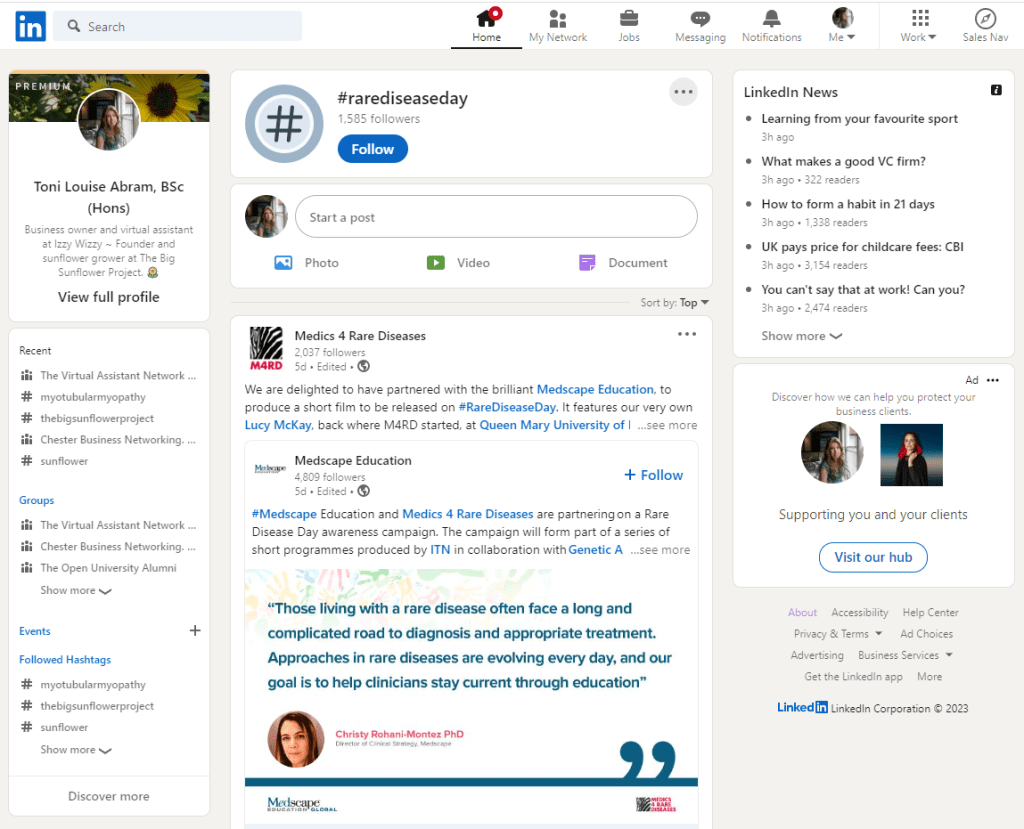
Following hashtags will ensure you see content that is of interest to you in your feed. Hashtags on LinkedIn help you discover topics and interests most relevant to you and give you the opportunity to engage with them. You can create your own hashtags, follow hashtags by clicking on a hashtag of interest and selecting ‘follow’ and manage the hashtags you follow from the LinkedIn homepage where they appear in the left hand menu.
Basic (free) and premium accounts
LinkedIn offer a basic account and premium accounts which can be trialled.
With a basic account you can:
- find and connect or follow people
- request and provide recommendations
- search for and view profiles of other LinkedIn members
- receive unlimited InMail messages
- save up to three searches and get weekly alerts on those searches.
Premium subscriptions offer all of the above and depending on the need of the member offer:
- Premium Career to help you get hired and get ahead in your professional life
- Sales Navigator to help you generate leads and build your client list
- Recruiter Lite to help you find and hire talent
- Premium Business to help you get detailed business insights and further expand your business
- LinkedIn Learning to help improve your skills and learn new ones.
Be yourself – everyone else is taken
So now you know what LinkedIn does maybe you have a better idea of how you can make it work for you.
When I first began using LinkedIn, I felt very much a fish of water — everyone else seemed to have been there so much longer, they all seemed to know one another, had established businesses and careers and lots to say. I on the other hand had only just started my business and I didn’t know what I could talk about. Was I was posting too little or too much and would anyone be interested in what I had to say?
So I set to work completing my profile thoroughly, treating it as my shop window where I was able to display my wares and slowly began to grow my network. What after all was the worst that could happen if I sent a connection request and it was ignored or if I posted something and no one liked it or commented on it? And I have learned it is important not to feel you have to do what everyone else is doing solely because they are doing it. There is a lot to be said for swimming in your own lane, so don’t be afraid to follow your own arrow.

Sources and further information
- About LinkedIn
- Statistics
- LinkedIn Company Pages and LinkedIn Showcase Pages: your questions answered
- LinkedIn Page vs. Personal Page: What’s The Difference and When to Use Both
- Your LinkedIn profile
- Search for jobs on LinkedIn
- Groups
- Connections versus followers
- Difference between free LinkedIn and premium LinkedIn accounts
- What are impressions
- Espirian: LinkedIn Dictionary
- Statista: LinkedIn – statistics and facts
- The Social Media Butterfly: Should you post your content to LinkedIn on the weekend
© Humblebee Secretarial and Administration Support. All Rights Reserved.
 Humblebee